Reference: StudentFilmmakers Magazine, August 2007. From Standard Definition to High Definition: Making the Transition by Jon Firestone. Pages 6. 8 & 9.
I remember back in the old days. The days of analog decks, with 3/4” machines, edit controllers, time code glitches, and all the fun of generational degradation. But, there was light at the end of the tunnel in the form of ones and zeros. And digital would be our salvation. Unfortunately, in the early days, the promises of digital and the reality were far from synonymous. It was still an analog world, and digital editing became available before digital cameras did, at least for the low budget market. And, we found ourselves shooting with our old analog camera technology, and then, dealing with analog to digital conversion, iffy compression, clunky device control, and a lot of other headaches. It wasn’t until DV came out, that digital really started to deliver for the masses.
DV was an incredible step forward in low budget filmmaking. Combined with firewire and faster hard drives, filmmakers could use one camera to shoot with, transfer to the computer, and then, transfer back to tape. The quality was impressive too. While not perfect, it was good enough to be adopted by professionals and took over much of the previously analog world. It was finally digital, done right, made to take advantages of its digital nature, and improve the workflow. Many computers came equipped with firewire, and if not, firewire cards were reasonably priced, when compared to their analog counterparts. The importance of DV and firewire was that one inexpensive cable carried the video and audio signals for both input and output, as well as device control.
When I took the leap into HD with HDCam a few years later, I had become accustomed to the convenience of DV, and now I was back to practically where we were prior to DV in terms of workflow. Expensive capture cards; inefficient or uncompressed compression codecs; needing expensive decks for capture and layback; extremely fast computers with large drive arrays; and in general, an expensive, inefficient, inconvenient world. Editing in HD was such a pain that most of the projects I did, I downconverted to SD and edited in – you guessed it – my old standard, DV.
Then HDV came along and, like DV, had its limitations but it had most of the conveniences and efficiencies of DV, which largely make up for its shortcomings. HDV is from a workflow standpoint a lot like DV. In fact, it uses the same tapes (it is recommended to use HDV tapes for best results, but in my experience I have not had any issues using quality DV tapes as well). HDV also uses the old standard firewire that I’ve appreciated all these years. Which makes HDV an awful lot like a higher resolution DV.
With all the advantages of HDV, I think that the technology has evolved enough while the prices have come down enough where it makes sense for any filmmaker looking at DV to consider HDV instead. For the following reasons:
1. HDV cameras are also great DV cameras. They can either shoot in HDV and downconvert to DV, or natively shoot in DV. Downconverted HDV usually looks better than native SD.
2. HDV is becoming competitive in price and has a much longer useful life. Everyone will want HD content in the future. HD will be the standard and will be expected.
3. Having HD masters can come in handy in the future if the footage it to be used down the road in HD projects. And the cameras can do real-time down conversion to DV for editing now.
HDV also has its cons:
1. Audio-DV has uncompressed audio where HDV compresses its audio; however the compression has never caused any problems for me.
2. Potential for more serious multi-frame dropouts due to GOP structure. Once again I‘ve never had any problems with this.
3. DV allows real-time output through a camera or codec box to a SD monitor within most editing platforms, whereas HDV requires additional hardware if this is wanted.
4. HDV is newer and less refined. DV has had years to develop while HDV is relatively new.
5. HDV requires significantly more computing power.
Shooting HDV vs. DV
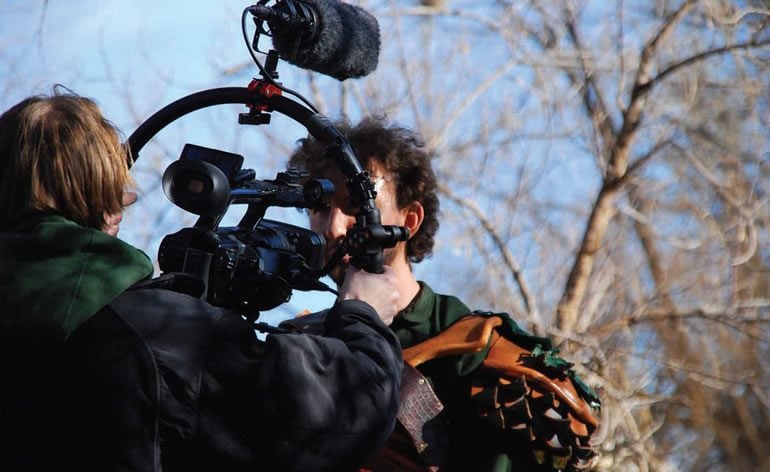
When it comes to shooting with HDV, there is very little difference in the controls of the cameras. The biggest differences deal with focus and monitoring. To take advantage of the extra resolution, critical focus becomes more important. The resolution of the viewfinders on HDV cameras is usually much lower than what the camera actually shoots, making it very difficult to achieve the sharpest focus by looking at the viewfinder. To make up for this, most cameras come with a form of expanded focus where they zoom the center portion of the image to fit the screen, so that you can adjust focus even using the less than HD resolution of the viewfinder. Ideally, you have an AC who can pull focus for you the old fashioned way. But sometimes the camera crew consists of well, just you, and that’s when some of these other tricks come in handy.
Most HDV cameras have some sort of in viewfinder focus information as well. This readout generally shows the distance that is most in focus, in meters or feet. Assuming your back focus is adjusted properly you can zoom in, turn on the expanded focus, and set an accurate focus on your subject.
I keep a mental note of what the camera readout is at that distance, and any other important marks in the take. If my subject moves from that spot, I can usually judge the approximate distance, and compensate. Just like the marks an AC uses, I can fairly accurately maintain focus with those numbers. When I’m flying a Jib without an HD monitor, I will use these numbers as well with an SD monitor. And, since I generally shoot jib shots fairly wide, my depth of field is pretty deep, so these approximations work fine.
Monitoring HD is also more challenging. Some HDV cameras have HDMI outputs while most have component connectors for connection to HD monitors. Which is great if you happen to have an HD field monitor – however, professional field monitors are usually very expensive, and often times, don’t fit in indie budgets, so people have been seeking out much more reasonable HD monitoring solutions.
This usually means a consumer HD monitor, in the 17 to 19 inch range with native resolutions of 1280 X 768 or slightly better. For those who want to see true 1080, there are several 23 and 24 inch computer monitors that support 1920 x 1200 and have either component or HDMI inputs. Unfortunately, most of these monitors require AC power, which is fine in some cases, and not so good in remote locations. Also, smaller HD capable monitors in the 5 to 9 inch range are very expensive compared to their standard definition counterparts. Fortunately, HDV cameras generally have traditional standard definition outputs as well. So that is an option, when resolution is not important from a monitoring perspective.
In an ideal world to ensure the best possible picture, nothing beats a waveform monitor and video vectorscope. If you plan on using these with HDV, then you’ll probably want HD scopes, to get an accurate representation of what is being shot, since down conversion to SD may introduce significant variances to the image. However, using an analog HD waveform monitor and vectorscope may not always be a good idea either, since many HDV cameras output their analog component signal, pre-compression, meaning that the scopes may not be accurately showing the recorded image, as the compression may be altering the image. (I have had this happen where we had some exposure issues because of it.)
The ideal option is to use scopes that take the HDV signal from the firewire port, since this is post compression. Fortunately, Serious Magic created an HDV version of their DV rack program which runs on a PC, generally a laptop in the field and gives scopes as well as many other options, including the ability to capture and playback on the fly. Recently, Serious Magic was acquired by Adobe who renamed HDV Rack to OnLocation, and is now part of the CS3 suite. For Mac users, Adobe includes the PC version of On Location, which can be run with Bootcamp on an Intel Mac.
Editing HDV vs. DV
HDV takes advantage of the infrastructure that was created for DV. However, HDV takes a significantly faster computer due to the extra resolution. Because of this everything from color correction to dissolves require more processing power or time. Most of the popular editing solutions now support HDV natively, but you might need to upgrade to the latest software to handle HDV. Aside from that, and the fact that all HD is widescreen, the differences are not that significant.
In a mostly standard definition world, the transition to HD might seem premature, but as the transition gains momentum, and as the technologies are becoming more available, the time for transition is now.
Jon Firestone is currently in production on Seven Swords: Cult of the Dead. He developed and taught the 3D graphics program at the Colorado Film School and works as a freelance director and cinematographer when he is not pursuing his other passion as a Visual FX supervisor and Animator.