By Chris Cavallari
These days everyone seems to have a portable media device. A quick walk down any New York City street will reveal a veritable rat’s nest of white iPod earbuds wringing the necks of pedestrians. And lest we forget, just about everyone – from the 5 year old kid on the schoolbus to your 75 year old grandma – has a mobile phone. These portable devices let you do more than listen to music or talk on the phone. Now you can catch the latest episode of Heroes or watch your buddy’s $100 horror flick anytime and anywhere. It’s a miracle I tell ya!
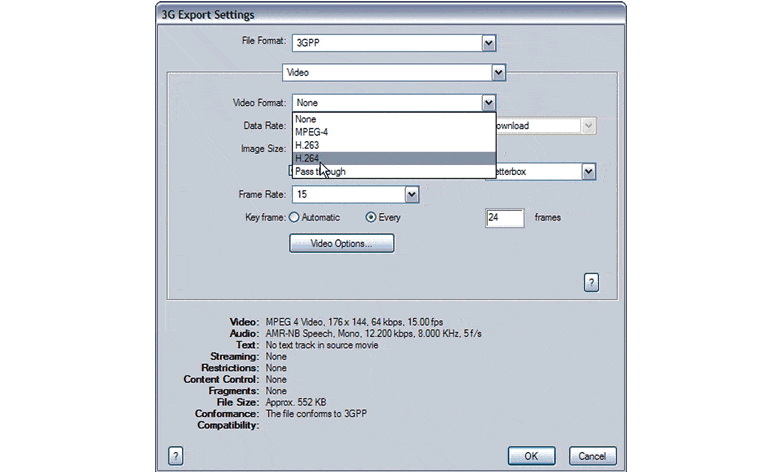
But what about getting your own masterpiece on one of those gadgets? You have a bunch of vids that you want to share with friends or send down as a video podcast, but no idea how to get them to their media players. Compression is key.
What Compression Is
Let’s take a look at what compression is, and then we’ll get into the nitty-gritty. According to Wikipedia, “Video compression refers to reducing the quantity of data used to represent video content without excessively reducing the quality of the picture. It also reduces the number of bits required to store and/or transmit digital media.”
When you really look at it, compression is not difficult to understand. It’s simply reducing the amount of unnecessary visual information in order to make the file smaller. This simplicity makes it pretty easy to apply compression to your video without compromising image quality. What it really boils down to is determining where you intend the final output to be delivered. Do you want it played on an iPod with video? That’s one codec. Do you want it to play on a mobile device? That’s a different codec. Pick a device, and I’ll give you a codec for it.
Free for members
Sign up free to keep reading
It’s free and takes less than 30 seconds. You’ll also get our Interstellar issue free, and a community of filmmakers sharing their work.
No credit card. Continue with Google or your email.