Get the help of an app for capturing professional video footage on your cellphone or mobile device.
By Bart Weiss
There are still people dissing shooting video on mobile devices. I recently had a discussion on Facebook. While there are lots of bad, really bad, video being shot with mobile devices, sometimes the best camera is the one in your hand. The biggest challenges in shooting on mobile include lensing issues, which is a story for another day, and getting good sound.
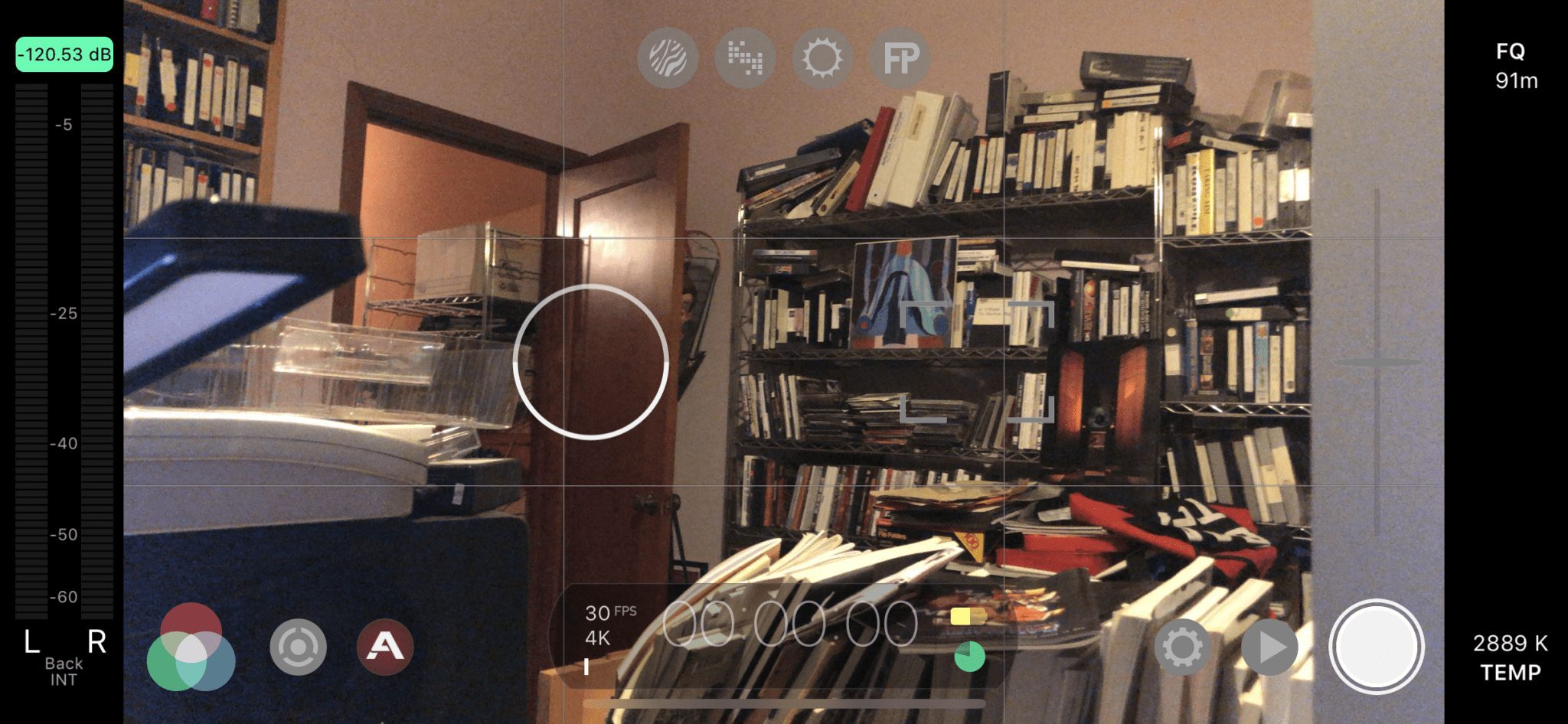
While the app that comes with an iPhone is getting much, much better, the best way to get professional video footage is to use the app Filmic Pro at the app store, also available on android. The app works on an iPhone, iPad or iWatch. On the iWatch, you can see what the camera sees and hit the record button, so you could set up a shot on a tripod and turn it on remotely. They also have a separate app that will let you control one mobile device with another, so you can essentially have a director’s monitor.
This app will let you have the kind of professional control that very expensive cameras have. You can set exposure control (circle) separate from focus control (square). For more control when you hit the circle with a dot in the middle, you get these two wheels on each side. On the left wheel, you can change the shutter speed or the ISO, both in very subtle ways. On the right side, you can either control a programmable zoom or a programmable focus. While you might think that the zoom might look bad, remember that you can shoot 4k for HD, meaning that you record in HD and only use about ¼ so you can zoom in and still look okay.
When you hit the “A” button, you get some really professional features. To get these, you can see the four buttons at the top. The first are zebra stripes to help you figure out when you are getting over- or underexposed. The second shows clipping. The third false color helps with exposing, and that is for another story on another day, but it is a high-end tool for exposure control. The last button is focus peaking, which will help you get proper focus. When something is on focus, it will have a green outline, and this is very, very helpful since the image is so small, and you don’t want surprises.
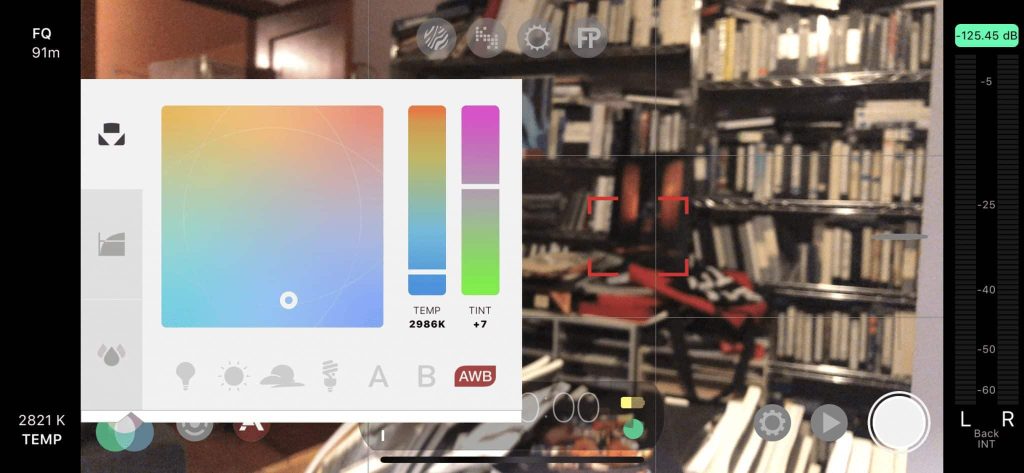
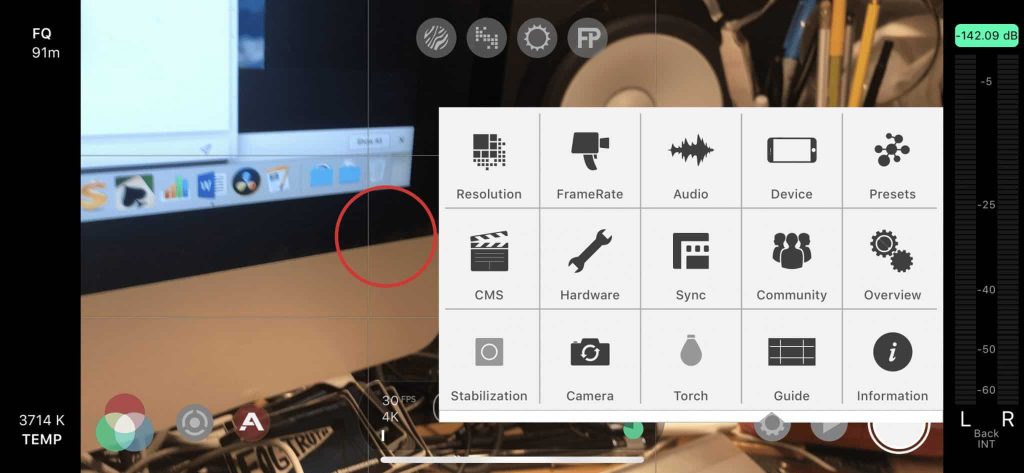
The app has a sophisticated color balance control you can see when you hit the 3 color wheels. If you get the Cinematographer’s Kit, you can shoot log and have gamma curves and noise reduction. So that is the control you have. As for settings, you have resolution with many to choose from and with lots of frame rates to select, you can control a device like a DJI Osmo Mobile from the app, in the hardware section, and several settings. There are also a few ways to get the files from the phone to your computer to edit.
Indeed, Filmic Pro gives you all the control you need to shoot really well on that camera in your hand. But we warned all these take practice. So, try it out at home before doing your shoot. Also, this app has really great tutorials to help you get the hang of this.
So, make better mobile videos, be a filmic pro!