Director Hannu Aukia shares how he shot his music video Running Man with a dozen DSLRs on one rig, using stop motion and other in-camera effects.
Hannu Aukia shares techniques on shooting with a dozen DSLRs and utilizing effects such as stop motion for his music video, “Running Man,” for the Helsinki/Finland-based, 15 Minutes Before the Dive.
StudentFilmmakers Magazine: The music video that you shot and edited for 15 Minutes Before the Dive’s song, “Running Man,” involved the use of 12 DSLR cameras. How did you use a dozen DSLR cameras?
Hannu Aukia: Directed it as well!
I’ll try to explain what I was after. I’ve had this idea of ‘manipulating time’ a long time ago with the use of multiple cameras. So if you put a dozen or so cameras next to each other, you could move between, for example, snare and guitarist in tempo with the song. In a way, all this video is about is animating the camera movement with living objects. In the end, that’s what differs animation from traditional filming; you have total freedom of camera-movement unbounded by time.
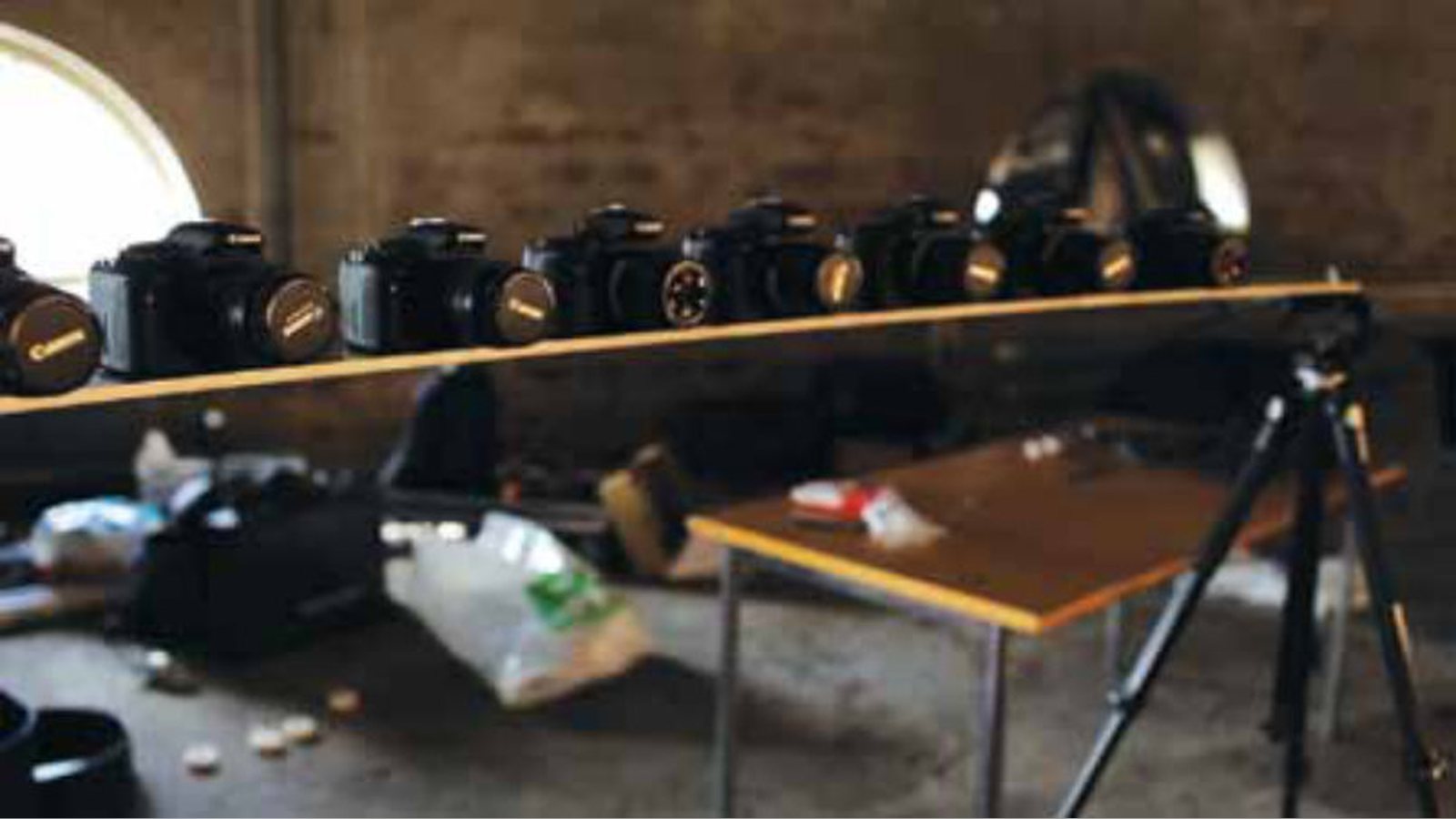
So that’s what I took, 12 Canon DSLRs [everything from 550D to 7D] and placed them along a path I wanted the ‘animated camera’ to move. Of course, it could be any number of cameras. So we did some tests, and decided that 12 is the minimum we need. If you do this in a music video, you want the animated camera to move in sync with the song, so tempo and time dictates how many you need or can use.
One of the various techniques that you used is stop motion. What was one of your most challenging scenes?
Hannu Aukia: With stop motion, nothing is ‘challenging’ per se. It’s just very time consuming. With unlimited time, you can do whatever. We did this video in Finland, and our budgets there are extremely limited. And with little money you get little time, so we had only two days to shoot the whole thing, do the setup, etc. So that was the greatest challenge – do things as fast as possible but still retain even some kind of level of quality! You just have to compromise, and say, ‘Okay, this is good enough.’ When you animate a whole band, try to get them to move where they should and you have a giant ‘snake’ eating them at the same time, then you just go with it and hope it all turns out fine. Same with Karoliina Helberg, who did the excellent painting. She just came to the location, and we just started to do it. I would describe what I wanted and where, and she would surprise me every time. At some point I decided not to intervene, and let her just do her job! It was in a sense, the first and only take!
SFM: What other techniques in addition to stop motion did you use?
Hannu Aukia: The idea was to do a video with a lot of different funny gimmicks, and to bring ‘performance’ back to performance videos. So we had most of the techniques figured out beforehand, but some of the things were just something we came up with while shooting. For example, the ‘flying guitarist.’ I just love the idea of playing with perspective, as it is so simple but brilliant. We actually had a skateboard just laying around so we used that. Place someone on the skateboard, turn the camera sideways, upside down, whatever you want, and you got yourself a very cheap and funny ‘special effect.’ It’s all very simple. Just look around, imagine what you could do, if the wall was the floor and so on. I love doing things without computers. That way the video looks just as good or bad now as it does 10 years from now. It’s timeless.
Another I really liked was two cuts between just two cameras instead of 12 to get this really hectic and cool effect. I really liked how that turned out.
SFM: By the way, did you use storyboards?
Hannu Aukia: No, I almost never do, even though I should! This was done in a very limited time so there was no time for that.
SFM: What lenses did you shoot with and why?
Hannu Aukia: On our stop motion and single camera scenes, we used Canon L Series, mostly 35mm lenses, if recall correctly. I like to use fixed focal lenses because those make you to actually move the camera around to achieve the best composition, and that can lead to happy accidents. Also on edit the fixed focals tend to work together better.
On the multiple cameras’ scenes, we had to use the infamous 18-55mm kit lens. We got our cameras from Finnish retailer, Rajala, and had to settle for the kit lenses because that was the only one they got for almost every camera. There were some Sigmas there as well, as we just couldn’t get enough of the same kind of lenses in Finland! But with that technique, it didn’t really matter that much as there is so much more happening in the scene. Bigger problem was that the cameras actually differ a lot from another, so two 7Ds side by side look quite different. That was a huge pain in post and limited quite a lot of what we could do in grade, as the DSLR codec can’t take a lot of grading until it starts to break down.
SFM: How did you handle or avoid the jello effect for fast moving shots?
Hannu Aukia: I think the rolling shutter is really a problem when you have small shaking movement on the camera. When shooting hand-held without a rig, or when the camera is rigged on a car, etc. With music videos I like to edit fast, so it’s not a big problem really. It’s part of these cameras, and you just have to live with it, know what will not work and what you can live with. For example, because of the jello effect you can’t zoom in fast with these cameras. This music video was edited on Premiere Pro. When on FCP, I use Lock & Load stabilizer. [Minor jello] is going to be the thing that will give away the early DSLR work!
SFM: What kinds of camera stabilizers and movement tools did you use?
Hannu Aukia: This was shot mainly on tripod and with the ‘multi-cam’ rig we had made for the video, so no stabilizers were needed. But I also really wanted to see if we could shoot with the multi-cam rig hand-held as well, so we put these handles on it. That worked really well, as it gives another dimension to the movement of the cameras. It’s a two-man job to move that setup around. As it is really quite heavy, it’s kind of a stabilizer itself. In a way, the principle of the rig is just like a 3D camera rig – you just have 12 cameras instead of 2!
SFM: Could you describe your to post production workflow?
Hannu Aukia: That was really a pain. The most important thing is to keep every camera in the same place [in the rig] and every memory card is always at the same camera. So when you place the clips to your timeline, they are always in the right order. If you mess that up, you have a really hard time during post! This was my second video I edited on Premiere Pro, which helped a lot because I didn’t have to convert the files to process, but I could edit natively on H264.
So how do you edit this kind of project? You take a scene, find the right clip from every camera and place them on top of each other in the right order. So, for example, number 1 is on the most bottom video track, and 12 at the top. Then you have to sync each camera, and this is something plug-ins like Plural Eyes can’t do well enough for you. That’s because each camera was operated independently, so they were not synced on location, so you have these small ‘lapses’ between the frames of every camera shooting at 25fps. So each camera saw just a little bit different point in time. So I edited these 25fps clips on a 50fps timeline – another great feature on Premiere Pro – which gave me a possibility to cut and edit between the frames. It was all really time-consuming and confusing, but that’s something you have to do.
The third thing is to align each camera, so you lose some resolution when cropping each clip a bit. This was extremely hard with the handheld shots, since the ‘focus’ of the scene is moving constantly. On the other hand, this gives you awesome effect when an object moves to the focal point of the cameras and becomes the focus of the shot. It’s very hard to explain, but the effect is used a few times in the video, so see the video and try to figure out what I’m talking about!
What special “Do’s and Don’ts” can you share in relation to editing a project like this?
Hannu Aukia: If you can afford, do calibrate each camera so that their picture profile is as close to each other as possible. It helps a lot. Also, syncing the cameras on location is a huge time saver, but the program that does that is very expensive, and we couldn’t afford that.
Also, work on each scene independently and get them done before you start editing the whole thing. You will do some extra work, but then you can edit more freely, as you can just try things out and not wait for hours for it to render and all that. In the end, gimmicks do you no good, if you can’t capture the vibe and the energy of the song or whatever you’re working on.
Editing a video like this is a huge and very monotonic task to do. So the moment you start to cut corners, hurry things up and so on, stop and take a break. I think that is the most important thing when animating [in a sense this is really animating] stop motion or whatever: the moment you start to slip, take a break. I also just had a lot of coffee, and edited the whole thing in a week! Luckily, my wife wasn’t home, so I could work around the clock while seated comfortably on my sofa!
SFM: What are you working on next?
Hannu Aukia: Right now I’m doing research for a possible documentary project. I just moved to the US because of my wife, and would love to meet talented people to collaborate with! I did this kind of ‘cubistic’ video a while ago, and I’d like to explore that technique further and use what I learned from this project on that. So if you have a project or whatever, hit me up!
Reference:
www.vimeo.com/36033327 Hannu Aukia.
Related filmmaking guides
- What does a cinematographer do?
- How to become a cinematographer
- Camera angles in film: a beginner’s guide
Keep learning filmmaking
Want more lessons like this? Join StudentFilmmakers free for live webinars with working pros, and stream on-demand filmmaking classes in cinematography, directing, screenwriting, sound and post.