By Tony White
Many think computers ended the need for drawing in animation. Animator Tony White explains why traditional art skills such as drawing still matter.
Develop Your Showreel & Sketchbook
It is commonly thought that with the advent of modern computer technology there’s no longer a need for traditional art skills such as drawing when animating. This is probably understandable as with the arrival of CG technology schools, and even professional studios, dropped all notions of basic art skills in favor of software.
However, this attitude began to change with the arrival of Pixar. Following the huge success of Toy Story – where Pixar hired all ex-Disney traditional animators to make the film on computers – there was convincing evidence that traditional skills made a difference. With the success of this and further Pixar films other Hollywood studios began to follow suit. Then as the blurring of the boundaries between films and games occurred – the latter industry also began to seek trained artists instead of software jockeys. Consequently, the job seekers today are not only expected to show their showreels but also their sketchbooks too.
This is not to say that the modern graduate doesn’t need software skills also. Far from it! However, central to a modern studio’s interest is not just what you show but how you arrived at what you show. ‘Process’ is all-important. Therefore animation jobseekers should include evidence of ‘thumbnail gesture drawings’, ‘video reference footage’ and any other examples of artistic and/ or drawing skills with their body of work.
It was once said by one of the great old Disney animators that before you achieve one great drawing you would have produced something like 10,000 terrible ones. Consequently the message is clear – get the 10,000 bad ones out of the way as soon as possible.
Clearly it’s time to get that pencil sharpened and develop an outstanding sketchbook of drawings to go with your animation showreel.
Animation Process: A great deal is reported about the ‘animation process’ but it is rarely explained. Perhaps the following bite-sized explanation (for all forms of animation) might help clarify…
(1.) Thumbs: When you have an idea of what to animate you should sit down and doodle out a number of quick thumbnail sketches of the kinds of poses and action sequence you have in mind. Try many options for each pose and finally arrive at the ones that you most like. (Remember: Good animation requires good poses. Bad poses never means good animation.)
(2.) Video reference: When you have your sequence worked out on paper, shoot or seek-out video reference footage that shows you how the movement you’ve planned actually works in real life. Most ideal will be to shoot the footage yourself, with an able colleague acting out the movement under your direction.
(3.) Revised Thumbs: With your reference filming completed, reinterpret your thumbnail poses so you accurately represent what you’ve discovered as a result of viewing the footage frame-by-frame. (Remember to push your thumbnail poses beyond what you see in your reference footage – as animation is a ‘caricature’ of life, not a precise replication of it.)
(4.) Blocking One: Now is the time to either draw-up your full-sized key positions (if you’re a 2D animator) based on the final thumbnail poses you’ve created. If you’re a 3D animator, replicate your thumbed poses in the CG environment using a rigged model of your choice. Review your pose-test video render of the action (without inbetweens added) to see if the poses, sequence and timing are working out okay in real time.
(5.) Blocking Two: Revise and adjust poses and timings as necessary. Maybe add the ‘breakdown positions’ too at this stage. Re-shoot and review as necessary, still sans inbetweens.
(6.) Polish: Add the inbetweens and adjust the timing and paths of action that link from key pose to key pose. Review footage.
(7.) Final Polish: Adjust anything that needs adjusting after reviewing the material from the ‘Polish’ stage and put in any effects or overlapping action that you hadn’t added before. Review and adjust as necessary.
(8.) Bow graciously: Finally, acknowledge the loud applause for producing such magnificent animation!
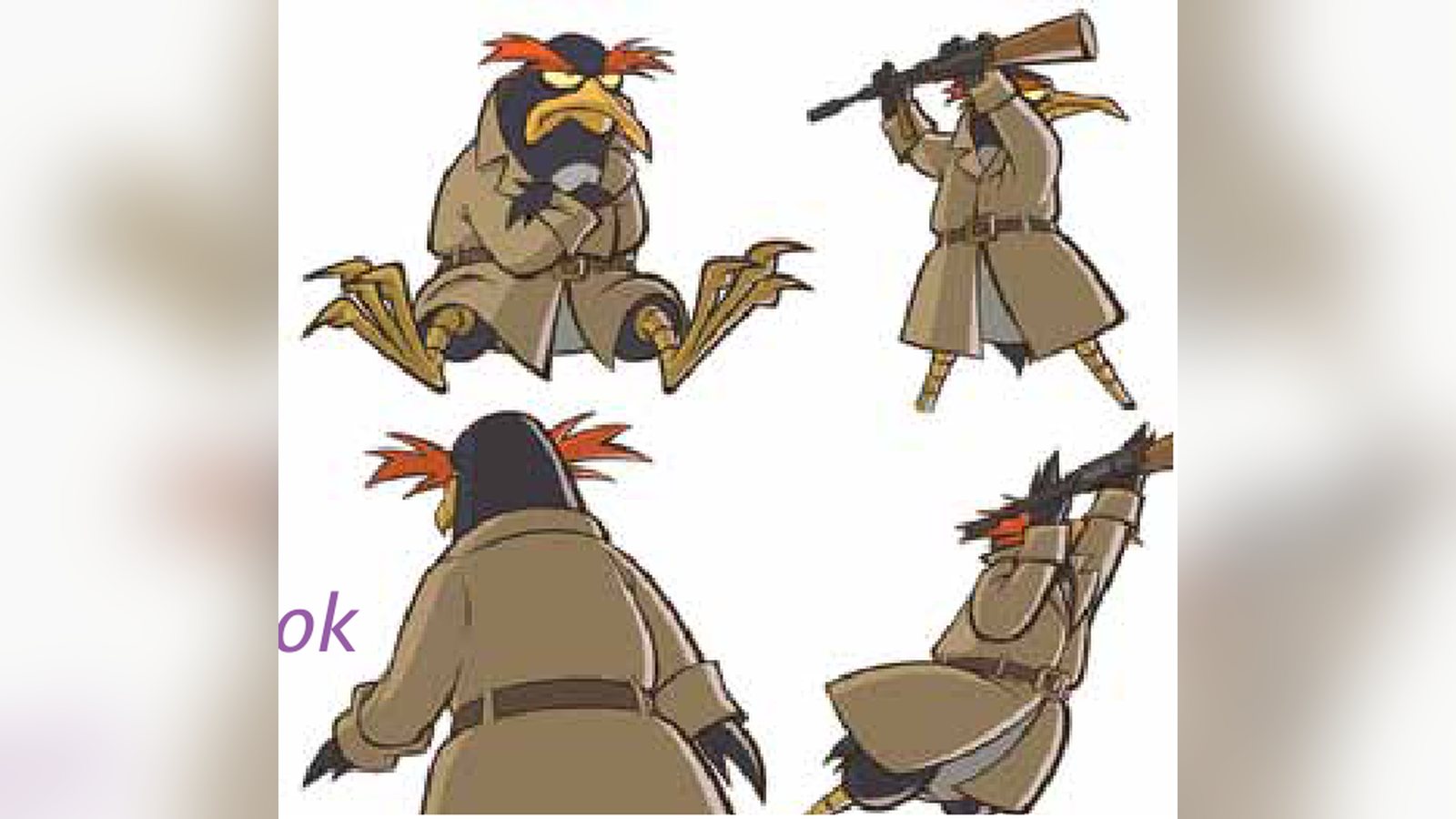
Tony is Program Director & Senior Instructor at AIE-Seattle, a new non-profit school offering a 2-year advanced vocational program in animation. Tony also established “Drawassic,” a virtual studio for top artists and animators around the world, dedicated to enabling a return of indie 2D-animation production. Drawassic is currently producing a promotional teaser for their unique movie project, “Bad Penguin.” Tony’s current book, “Animator’s Notebook,” was recently published by Focal Press.
Keep learning filmmaking
Want more lessons like this? Join StudentFilmmakers free for live webinars with working pros, and stream on-demand filmmaking classes in cinematography, directing, screenwriting, sound and post.