By Evan Bollig, Ian Johnson, and Dr. Gordon Erlebacher
A student 3D project combined stereoscopic live action with virtual reality. The team explains the process used to turn the actors into 3D characters.
The Film project combines live action stereoscopic film virtual reality. Virtual reality is used as a transitionary element between successive scenes to highlight various departments involved in the film production.
Since the film is composed of various live action sequences capturing one or more real FSU students performing actions related to their respective departments (i.e., painting, dancing, filming, etc.), depicted departments are somewhat unique and difficult to quickly transition between, a unifying theme was required to involve the viewer and make them feel as if they are part of the video. To this end, we portray a “video game experience” for the viewer: when the film starts, they are given the impression that they are playing a videogame similar to popular titles like RockBand and Guitar Hero. Viewing a mockup “Start Menu”, the viewer realizes the player must choose an “avatar”
(virtual character) for gameplay. A long list of character “names” (department names) are provided, including the various departments involved in production dispersed at random throughout the list. Each “avatar” has a set of skill levels appropriate to their specialty. For example, Art would have high “creativity” and “spatial” skills with lower (but not too low!) “mathematical” skills. The menu is animated as if a game player were cycling through names looking for their desired skills. When a character is selected, a virtual human is revealed representing the chosen department. The scene then cuts to a live action sequence involving that department specifically.
The virtual human is representative of both the chosen department and the actor that is the central focus of the live action scene. To achieve this, we used a 3D scanner to scan the faces of the real actors. A 3D scan was viewed as more appropriate than more standard pictures taken with a digital camera since the film was in 3D, and the elements of the virtual scenes should be as well. The scanner, housed in the Biology Unit 1 building, is operated by Dr. Dennis Slice (Dept. of Scientific Computing) and graduate student Michelle Perry (Scientific Computing). The 3D scanner uses patterned light projections and a digital camera to digitize a surface as a mesh of nodes in a single scan. Using multiple scans (different rotations of the head to reveal all of the actor’s face), the meshes are merged to construct a complete digital representation of an actor’s face. Merging the two meshes is achieved by identifying landmarks common to both meshes, such as the corner of the eyes, the tip of the nose and other easily identifiable points on the face so the meshes can be properly rotated and translated into alignment. The complete face scan for each actor contains upwards of half a million data points. That many nodes is ideal for scientific problems and/or accurately reconstructing surfaces, but is excessive for our needs. Indeed, manipulating such a high number of points was taxing the laptops and workstations we were using, produced irregularities in the face, and the high resolution was hard to control during additional processing of the face geometry. Furthermore, for this film, we decided to forego realistic rendering in favor of approximate renderings that would clearly identify the actor, yet convey a sense of a cartoony video game. Therefore, each of the actor face scans were used as a base model, and a simplified version of the face was modeled by hand. The final “mask” produced by hand contains around one thousand points.
The simplified models of the face scans are overlayed onto a generic human body created by MakeHuman, free software available online. With a generic body for all characters, distinguishing features are the face and clothing that matches what the characters wear in the live action sequences. The clothing was modeled using standard 3D modeling techniques and then textured using reference images of the actors. Each character has relevant props which were obtained from Google’s 3D Warehouse (http:// sketchup.google.com/3dwarehouse), a free repository of 3D models created with Google’s SketchUp software.
To motivate the transition to live action from the virtual character, we have included a short animation for each department avatar. For example, the virtual film student picks up a camcorder and films something offscreen. The Dance student does a little bit of the Charleston dance. These animations are gimmicky, but they definitely play on the viewer’s internal notion of what a stereotypical student would do in each department. Of course these animations might not match up with the live action sequence, in which case the viewer is introduced in the live action sequences to a broader view of what is possible as that type of student (i.e., something beyond the stereotype). The animations actually come from a large library of motion capture files for realistic and fluid body movement. Motion capture files are digital recordings of sensor positions with respect to time – a sensor attached to an appendage (e.g. leg or arm) moves in real life and the position is recorded at even intervals (e.g., 30 every second) to track that movement. Carnegie Melon University recorded hundreds of simple motions (running, jumping, sitting, drinking, etc.) and provides this data free of charge.
Another animated segment within the virtual world occurs when the player selects a department avatar. At that point, rather than have the virtual character instantly appear in its entirety, we incrementally reveal a wireframe mesh of the avatar body by simulating a laser scan sweeping through the body. The body skeleton appears in an upward pass, followed by a downward scan, which reveals the fully clothed character, which then launches into a representative animation, before switching out to the next film segment.
The runtime for each of the animated sequences including the avatar selection, building character clothing/ props and motion capture animation is constrained to between 5 and 10 seconds. With 5 (**or 6 if we include the football player**) sequences, the virtual reality represents less than one fifth of the total runtime suggested for the film (~5 minutes), but is a substantial contribution to unify the content.
All character modeling, animation, and stereoscopic 3D rendering for the virtual scenes was done with free, open Figure 1: Overlaying the actor’s face onto the generic human body within Blender. The smooth surface in the top left corner is the handmade mask based on the 3D face scan. The coarse surfaces (e.g., on the forehead and neck) are part of the generic human body. source software named Blender (http:// www.blender.org).
Currently used by over a million people worldwide, Blender offers features for free that many software titles like Final Cut Pro, Maya, LightWave, etc. would charge thousands of dollars or more for. Features like a sophisticated 3D modeling interface, a video game engine complete with a realistic physics engine, and a multitude of others relating to video editing, ray tracing, etc. Blender also includes a Python interface for developer level control of internals so users can extend and customize the behavior of the software. For example, the avatar selection menu was modeled and animated by a python script. Another python script creates a virtual stereoscopic 3D camera rig to record animations in 3D.
All of the virtual character scenes were modeled, animated and sequenced Scientific Computing) and his graduate students Ian Johnson and Evan Bollig. Their time and effort was entirely voluntary with the goal of expanding their knowledge of 3D film making and design with Blender. Although the group has been working with Blender as a teaching tool for Dr. Gordon Erlebacher’s Spring 2010 course, “Introduction to Video Game Design”, serious character development occurred in the two weeks preceding the live action filming, and is still ongoing today. The majority of the visualization was completed in the first 3 weeks, but many small details are still under review.
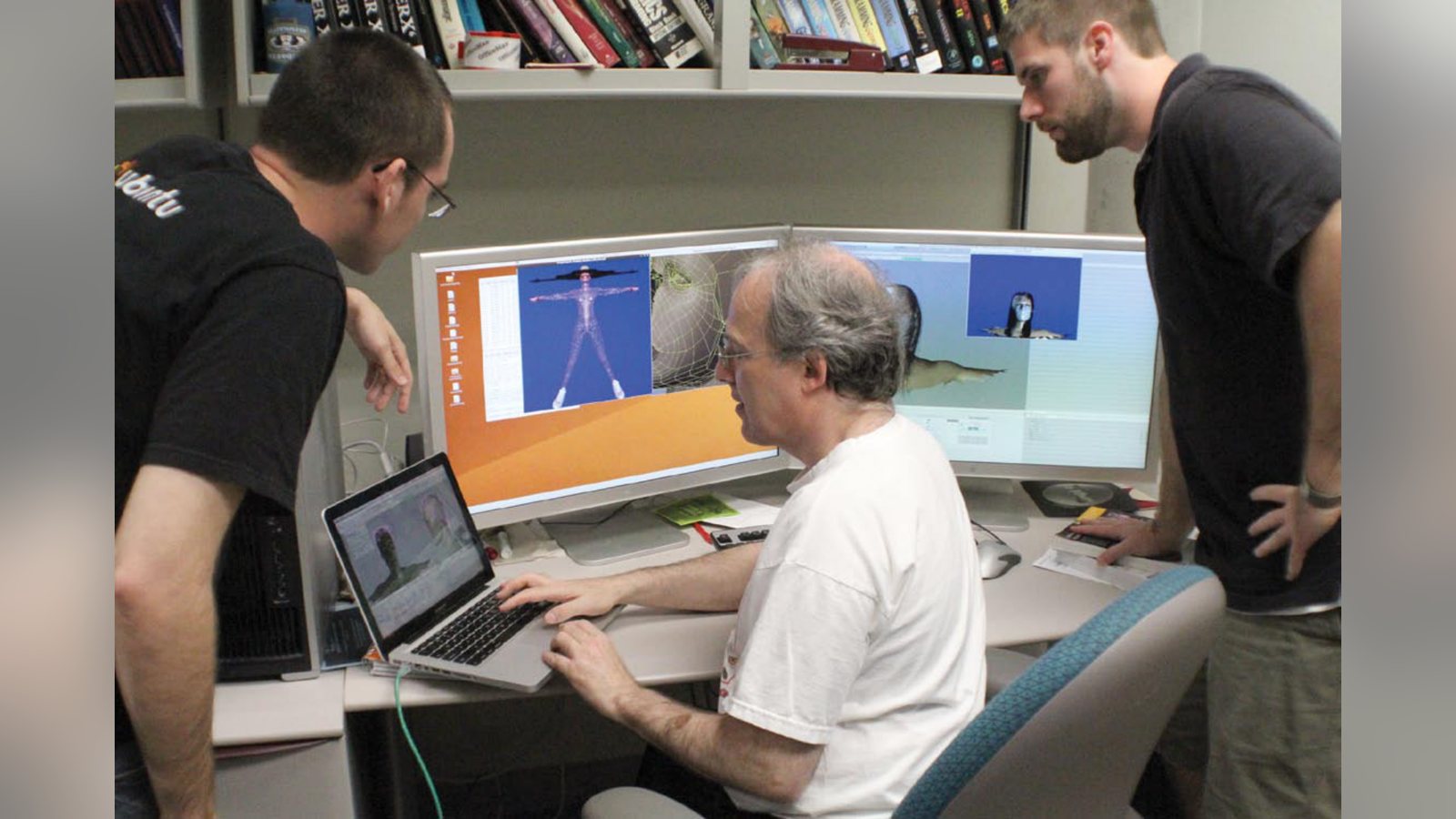
Under the management of Dr. Erlebacher, the machines and resources within the Department of Scientific Computing VisLab (Visualization Laboratory) were utilized throughout the production of virtual content. In addition to volunteering their time and effort to complete this work, Dr. Erlebacher and his students contributed a stereoscopic 3D workstation from the DSC VisLab to assist in the daily film review of live action shots. The stereo workstation was purchased as part of the NSF grant number NSF 0722782 which encourages interdisciplinary 3D research and movie making. It supports active stereoscopic 3D (shutter glasses) includes software capable of reviewing 3D movies. Due to schedule conflicts between equipment rentals and Quantel’s variable dates for the visit, the project was only able to film in 3D before Quantel would arrival at FSU. With no Quantel hardware present, the film crews had no way to verify a 3D shot was properly focused and aligned for the optimal 3D effect until after all filming was complete (i.e. they were shooting blind). With the stereo workstation, it was possible to review shots in the same day, rather than waiting until all filming was complete.
Evan Bollig is a PhD candidate in Scientific Computing at the Florida State University. He holds a Master’s degree in Computational Science from Florida State University, and two Bachelor’s degrees (Computer Science and German Studies) from the University of Minnesota–Twin Cities. Aside from an interest in 3D film, Evan concentrates on programming video game hardware, scientific visualization and the occasional outdoor pursuit. Figure 3: The stereoscopic 3D video editing workstation contributed the project by the Department of Scientific Computing VisLab. Figure 2: The full body of the virtual actor representing the film department. Not shown: character props and hair.
Related filmmaking guides
Keep learning filmmaking
Want more lessons like this? Join StudentFilmmakers free for live webinars with working pros, and stream on-demand filmmaking classes in cinematography, directing, screenwriting, sound and post.