By Ian Johnson
Filming in 3D brings new obstacles. Ian Johnson explains on-set convergence and why correct camera alignment saves immense time in post-production.
Filming in 3D creates new possibilities as well as new obstacles. Such things as correct alignment while shooting can save immense amounts of time in post-production. Certain cinematographic techniques must be avoided completely in 3D, such as having foreground objects too close which is not obvious when viewing in 2D. It is possible that an entire shoot is worthless if these issues are not addressed.
For our 3D film project we did not have a commercial system for viewing stereo 3D in real time; designed specifically for film making these systems cost in the hundreds of thousands of dollars. We were able to adapt a workstation used for scientific visualization to make an on-set viewing station. This system cost less than $4000 and is made up of only consumer level hardware. The important components include CrystalEyes active glasses, a professional grade NVidia graphics card and Stereoscopic Player software. The stereo rig used for filming consisted of two gen-locked RED ONE cameras shooting in 4k resolution. We setup a workflow where editors would convert the RAW files from the RED cameras to a compressed Quicktime format on a MacBook Pro using REDCINE software. This process is computationally intensive, and speed was our primary concern so we limited our viewings to the first few seconds of each shot. Conversion was done independently for the data from each camera, creating separate left and right movie files. These files could then be transferred to our 3D workstation and opened by the Stereoscopic Player. Once in Stereoscopic Player the crew could check the alignment of their shots, and analyze the quality of the 3D effect they were trying for. The time it took from downloading the RED RAW file to viewing a few seconds of 3D film was about 10 minutes once the work flow was established.
Ian Johnson is pursuing his Master’s degree in Scientific Computing at Florida State University. His interests include 3D visualization, programming, math, travel and the Chinese language. When he is not online or writing code, he likes to volunteer his time teaching at-risk youth about computers.
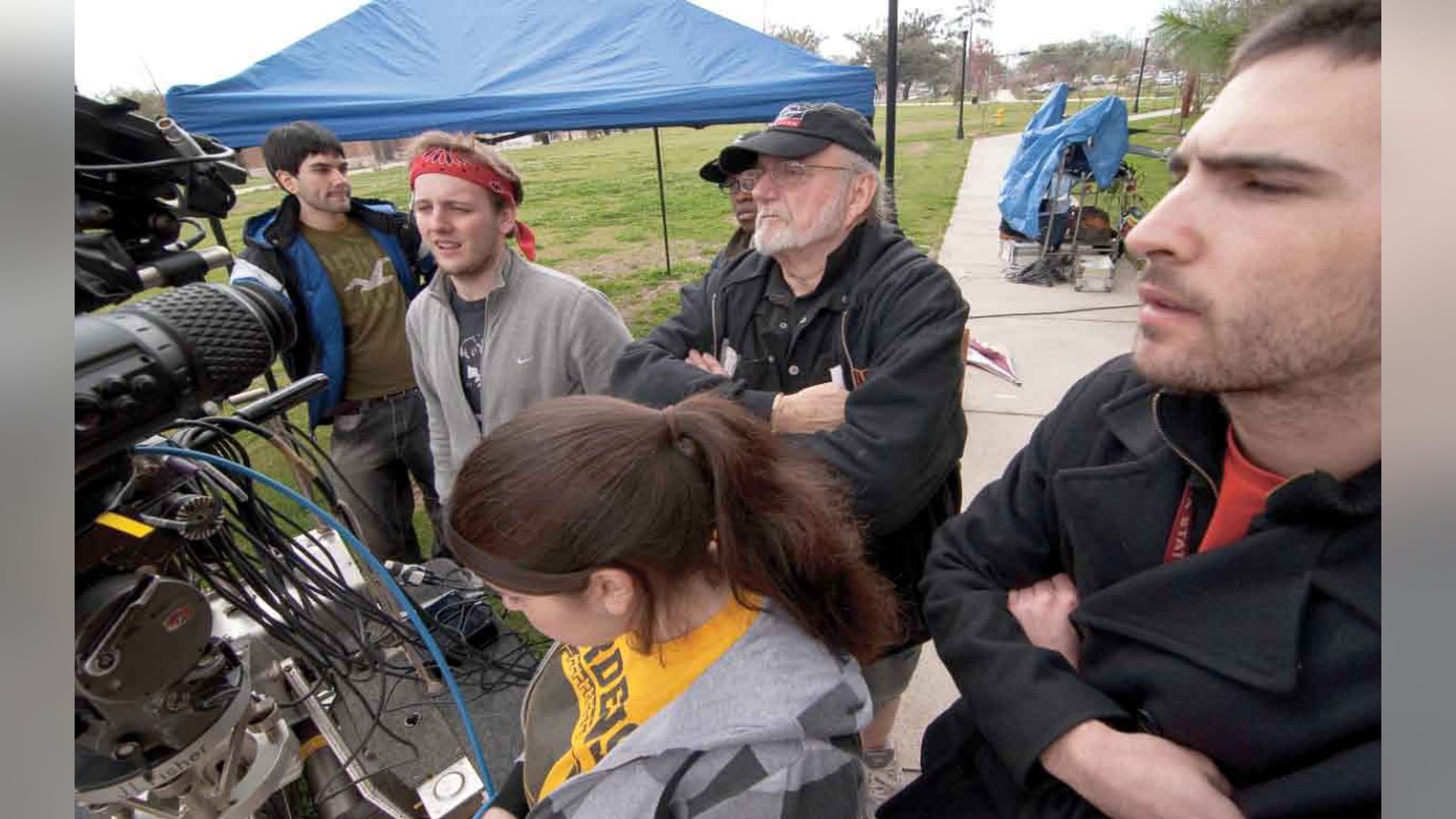
From left to right: Adriel Conde, Aaron Hall, Crystal Collins, Rexford Metz, ASC, and Patrick Nissim.
This photo shows the huge amount of cables syncing the cameras and connecting them to the video tap. Photo
Related filmmaking guides
- What does a cinematographer do?
- How to become a cinematographer
- Camera angles in film: a beginner’s guide
Keep learning filmmaking
Want more lessons like this? Join StudentFilmmakers free for live webinars with working pros, and stream on-demand filmmaking classes in cinematography, directing, screenwriting, sound and post.