By Karelisa Falkner
When iTunes added animated shorts, a student film got a deal. A look at the animated short Smile, how it was made and how it found online distribution.
This year media mogul iTunes decided to add animated short videos to its music store. For those like myself who spend endless hours perusing unknown music and video content from sites like iTunes, YouTube, and AtomFilms, this latest feature is simply one step closer to complete internet sensory overload. But for student animators, it is a welcome addition. With the possibility of exposure on internet portals like iTunes, animators are no longer bound to limited technology and paltry student budgets. To put things into perspective, iTunes alone received about 25 million video downloads just between December and June. Student animator Chris Maise proves that the industry is becoming more accessible. His recent iTunes release, Smile, an 8-minute, animated short about a toy that battles his playroom nemesis over a smiley-faced balloon, has put him on the map.
At its best, animation like Smile makes us nostalgic for the wanderings of our childhood imagination. Absorbed in the colorful imagery of a surreal toy world, Smile is a seamless short. What makes animated film so difficult is that to achieve the timeless feel Maise gets with Smile in only eight minutes requires days of actual filming and a meticulous editing process. Maise used Motion Capture Imaging to achieve the dreamlike effect of Smile – the same technology used by Pixar (Toy Story comes to mind), and of course Disney animations like Fantasia. Motion capture imaging, as Maise points out, is not only more efficient and time saving than line-drawing animation (which would take years to complete, even for a short like Smile), but also turns the editing process into a series of puzzle pieces with endless ways to rearrange.
Maise, like most undergraduate filmmakers, realized that Smile could not realistically get off the ground without outside help, and his school didn’t have a motion capture stage. And who could blame them? Motion capture production for Smile amounted to a whopping $100 per second. Not exactly in line with Maise’s $1,000 budget. Maise’s strategy – hound feature studios through a relentless flow of written letters for financial and production support – a tactic which impressed the visual department at Sony Imageworks and landed him production space for motion capture imaging.
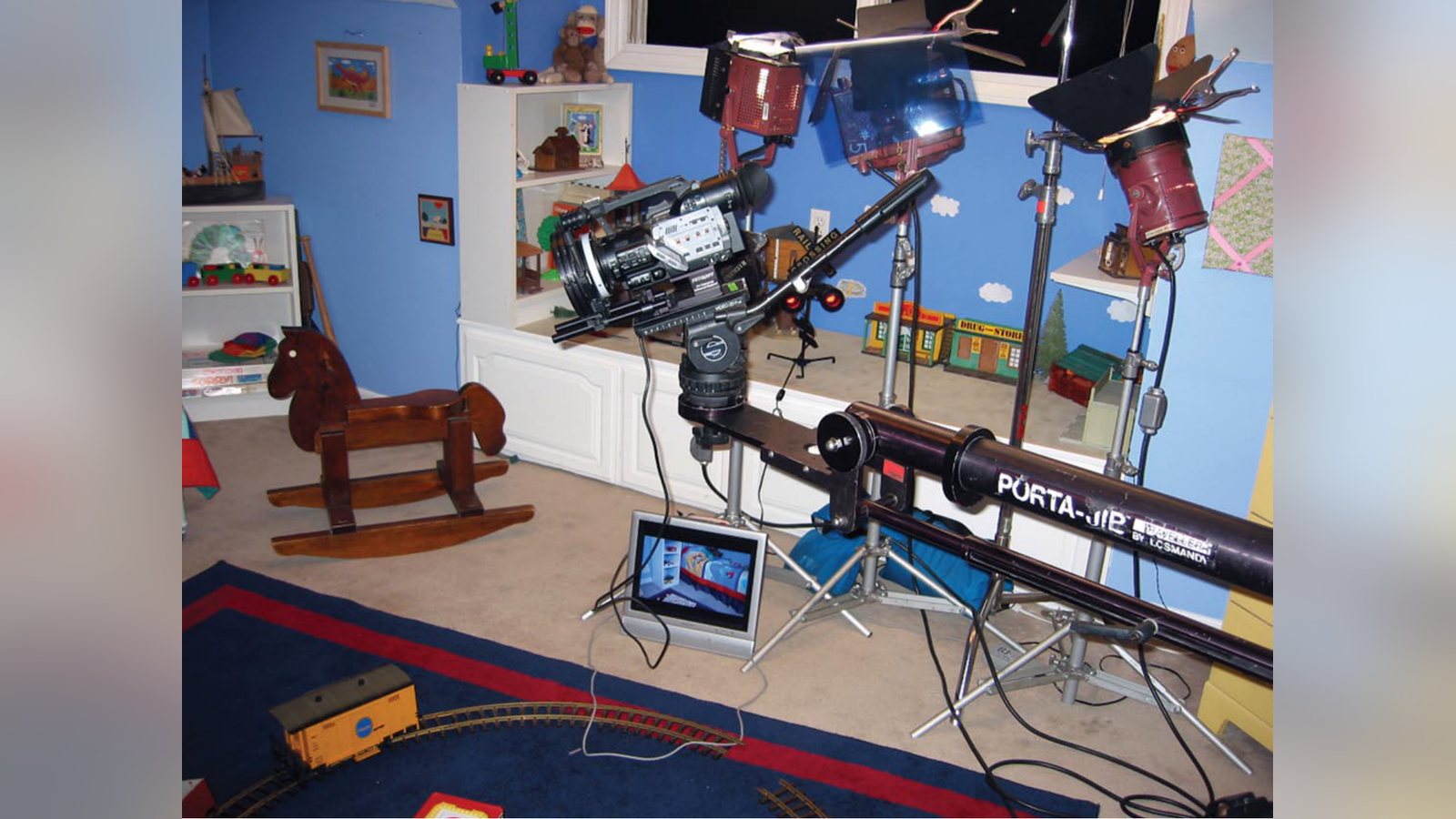
Maise and his team began production by creating a series of background plates using 16 mm film, including shots of a miniature child’s playroom. Maise recommends taking as many photographs as possible of the set. This gives the animator a template to create new computer generated background plates that hadn’t been factored during conception with relative simplicity. These plates give the motion capture actor a visual of the imaginary set he is moving within. “Working on the motion capture stage is no different than working a live-action film set,” says Maise. “There is an actor, director, and camera operator. The only difference is that the performance is captured from every conceivable camera angle, versus the single view of a live action camera.” Enlisting a good motion capture actor is key to production – the wider the range of movements and emotions, the more possibilities you have for editing. Joel Moffett acted the movements of both animated hero and villain, making the movements stylistically cohesive. Maise continues, “It was a liberating experience, because we didn’t have to worry about lighting, sound, or camera angle.” At $100 per second, Maise kept the filming short – only six days of live action filming and just four hours in the motion capture studio.
The best feature of Smile in my opinion is Maise’s decision to accompany the animation with an orchestral score by composer Cody Westheimer. Even on a budget, Maise managed to have the piece recorded at Capital Records by a 45-piece ensemble, a process which took just three hours. Building Smile up from a senior student project to a professionally executed production was easier than might be imagined. Maise secured many of his industry connections simply by showing his sketches and raw edits of Smile to as many people as possible. Maximizing exposure to your work, even before you start production, can land unlikely sponsors from people who are not necessarily professionals in the feature film industry. Using an original composition with an animated short film is also a sure way to avoid potential problems in voiceover and expensive music rights.
Smile’s score not only has a classic good versus evil motif which children can readily respond to, but it also keeps the focus of Maise’s animation on storytelling.
But Maise admits that while motion capture imaging has been around for decades (Disney used it in the 1930’s), it is not always preferred. Not every artist values digital technologies which dramatically lessen production time, and in animation, some stand firm in their conviction that motion capture is another technology which cheapens the artistic experience. The question of digital technology minimizing artistic vision and perhaps talent will be particularly interesting to watch in the future of animated film, where online marketing and distribution is ultimately key to exposure. The creative vision of an independent animator like Maise is really put to the test in the exhaustive post-production and editing process which streamlines sound and animation together.
Maise says, “The editing of Smile was quite different than live-action. I had all of these separate elements I needed to combine to create a shot, before I could edit it into the film. I would composite a rough skeleton performing a segment from the motion capture onto a background plate. I would than have a rough shot that I could cut into the film using Adobe Premiere. If the shot worked in the film, I would then do it over, this time with a properly lit Smile character. It was a very tedious process to do it this way, but it offered me unlimited options.” To do all of the animation and compositioning, Maise used 3D Studio Max, a program he delved into to prepare himself for the editing in Smile, in addition to Adobe After Effects and Adobe Premiere – all of which are “off the shelf software you can find at any computer store”.
Smile has cleaned up a host of awards in the animated short film category including SIGGRAPH (2005), Cecil Awards (2006), and MySpace User’s Choice Competition (April 2006). After a lucky pair up with a distributing representative following the Palm Springs International Festival of Shorts where it took home the Audience Favorite Award, Smile was released to iTunes as part of the portal’s April animation launch. Maise and his team are jumping on a selective bandwagon for animated short films on major online portals like iTunes but believe that there is little competition among animators like himself because the spread of quality animated film and new techniques and technology benefits everyone. Although submitting Smile to festivals has the benefit of letting Maise hear personal feedback from children and adult audiences, it is Smile’s distribution on iTunes which suggests the truly changing nature of student animation and film. Like Maise, students and amateurs can now find willing investors for their projects more easily due to the potential for profitable distribution and exposure iTunes offers. The profit Maise adds, is also finding its way back to himself and his team, a sign that the industry is more accessible than you might think. And for animation film artists, the future looks bright indeed – while animation often has difficulty getting recognition at festivals, Maise believes animated shorts found a nitch with internet users lacking in attention span and just looking for an easy laugh.
Related filmmaking guides
- Top video editing software for students
- ADR: automated dialogue replacement explained
- The power of sound in film
Keep learning filmmaking
Want more lessons like this? Join StudentFilmmakers free for live webinars with working pros, and stream on-demand filmmaking classes in cinematography, directing, screenwriting, sound and post.