
Made on a Phone, Part 1 of 4. A short, practical series for high school and college filmmakers.
The camera in your pocket can make a real film. Many festival shorts and even some feature films were shot on phones. What makes phone footage look like a film is not the phone. It is a few settings you change before you press record, and a few habits while you shoot. This guide covers the settings that matter most, so you can stop worrying about the camera and think about your story. If a word is new to you, look it up in our Film Terms Glossary (camera terms).
Here are the settings to change before your first shot.
1. Shoot at 24 Frames per Second
iPhone: Settings > Camera > Record Video > 4K at 24 fps
Android: Camera app > Video > Settings, or Pro Video mode
Why: 24 fps is the frame rate of movies
Also turn off: Auto Low Light FPS (iPhone)
Phones record at 30 or 60 frames per second by default. That looks like the evening news or a video game. Movies run at 24, and your eye knows the difference even if you can’t name it. Pick 24 fps and keep it the same for every shot in your film. Only switch to 60 when you want a slow-motion shot that you will slow down in the edit.
2. Pick 4K (or 1080p If You Are Short on Space)
Best: 4K at 24 fps
Storage: about 170 MB per minute of 4K on an iPhone
Fine: 1080p at 24 fps if your phone or computer is older
4K gives you room to crop and reframe in the edit. If your phone is almost full, or your computer struggles to play 4K, 1080p is perfectly fine for a short film. Clear space before shoot day. Running out of storage in the middle of a great take is a heartbreak you can avoid.
3. Lock Focus and Exposure
iPhone: tap and hold on your subject until you see “AE/AF Lock”
Then: slide the sun icon up or down to make the picture brighter or darker
Android: tap to focus, then look for a lock icon or use Pro mode
Left alone, your phone keeps changing the brightness and focus while you film. When someone walks past a window, the whole picture pumps brighter and darker. Locking focus and exposure stops that. Lock on your actor’s face. If the sky is white and blown out, slide the brightness down a little until you can see detail in the bright parts, as long as the face still looks good.
4. Use the Main Lens and Lock It
Use: the 1x main lens for most shots
iPhone: Settings > Camera > Record Video > Lock Camera (on)
Avoid: pinching to zoom (digital zoom makes the picture soft)
The main lens has the best sensor in your phone and does best in low light. Some phones switch lenses on their own while you film, which causes a little jump in the picture. Locking the camera stops that. If you need a closer shot, walk closer. Your feet are the best zoom you have.
5. Turn On the Grid
iPhone: Settings > Camera > Grid
Android: Camera settings > Grid lines
Use it for: the rule of thirds, straight horizons and steady headroom
The grid draws two lines across and two lines down. Put your actor’s eyes near the top line and the horizon on one of the lines, not across the middle. It sounds small, but it is one of the quickest ways to make your shots look planned.
6. Keep the Look Simple: HDR and Formats
iPhone: Settings > Camera > Record Video > HDR Video (try it off)
iPhone: Settings > Camera > Formats > High Efficiency is fine for most editors
Why: HDR footage can look washed out on some apps and uploads
HDR video can look great on the phone itself, then look gray or too bright once you edit and upload it. For a first film, turning HDR off makes your colors more predictable from shoot to screen. If your editing app has trouble opening your clips, switch Formats to “Most Compatible.”
7. Try a Free Pro Camera App
App: Blackmagic Camera (free, iPhone and many Android phones)
Gives you: shutter speed, white balance, ISO, frame rate, focus tools
Good starting point: shutter 1/50 at 24 fps
When you are ready for more control, a pro camera app lets you set things the built-in app decides for you. Locking white balance keeps skin tones from shifting between shots. A shutter speed of about double your frame rate (1/50 at 24 fps) gives natural motion blur, the way film cameras do. You don’t need this for your first film, but it is a great next step.
8. Before You Press Record
Clean: wipe the lens with a soft cloth (pocket lint and fingerprints blur everything)
Silence: turn on Do Not Disturb or Airplane Mode
Power: charge fully and bring a power bank
Hold: turn the phone sideways for a widescreen film
Most films are shot sideways (horizontal). A vertical film is fine too if you are making it for phones; just decide before you start and shoot every shot the same way. For more ideas, read our 10 Easy Tips for Filming Short Films on Your iPhone and Smartphone Filmmaking Tools and Tips for Beginners.
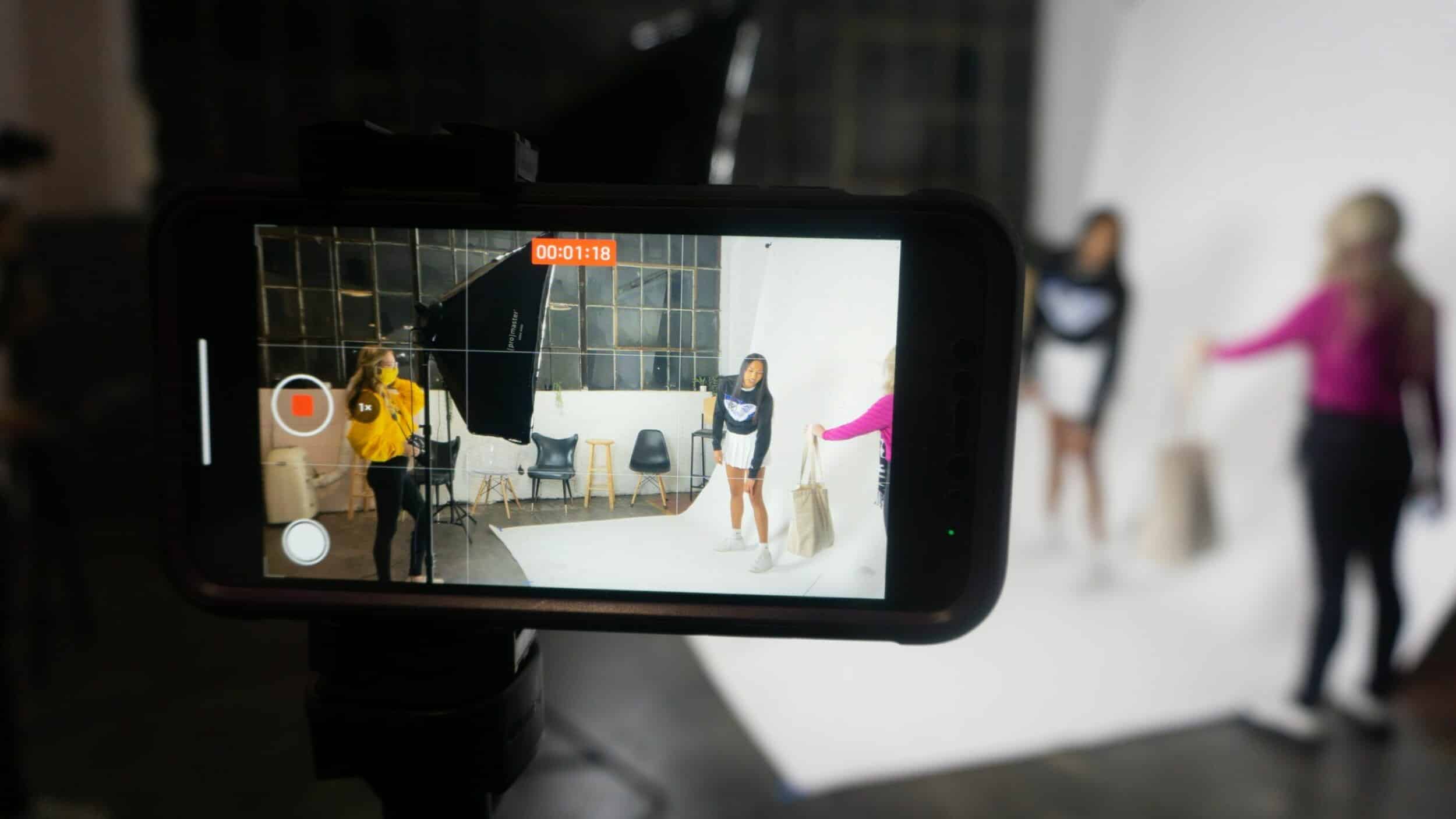
Photo by Gaining Visuals (Instagram @gainingvisuals).
Ready to try it? Our free 1-Minute Film Challenge is open now. This month’s theme is Light, and you can shoot it on your phone. Make a film of one minute or less and send it in before December 31, 2026. We would love to see your work.
Earn your Film Basics badge. Pass five beginner quiz challenges (Everyone Should Know, Camera, Lighting, Sound and Editorial terms) and a gold 🎬 Film Basics badge appears next to your name on your community profile.
Q: Is 24 fps or 30 fps better for a short film?
A: 24 fps gives the classic movie look, so it is the best choice for most short films. 30 fps is fine for vlogs and school news. Whatever you pick, keep it the same for the whole film.
Q: Do I need an expensive phone to make a film?
A: No. Any phone from the last few years shoots good enough video for a short film. Good light, steady shots and clear sound matter far more than the newest model.
Q: What is the best free camera app for filmmaking?
A: Blackmagic Camera is free and gives you manual control of shutter, white balance, ISO and frame rate on iPhone and many Android phones. The built-in camera app with locked focus and exposure is also fine for a first film.
In Conclusion
Change four things and your phone footage will already look more like a film: 24 fps, locked focus and exposure, the main lens, and the grid. Then forget the settings and pay attention to your actors and your story. In Part 2 we will talk about light, the thing that makes the biggest difference of all.
The Made on a Phone Series
Part 1: Camera Settings (you are here)
Part 2: Light
Part 3: Sound
Part 4: Steady Shots
Next series: Your First Film
Additional Resources
10 Easy Tips for Students: Filming Short Films on Your iPhones
Smartphone Filmmaking: 3 Fun Projects for First-Time Creators
iPhone Cinematography
Mastering the Basics: A Guide to Beginner Cinematography
Film Terms Glossary: Camera Terms
The 1-Minute Film Challenge